




Learn GROUP BY and Aggregation Functions in SQL with simple explanations and real-world examples to summarize, analyze, and report business data.
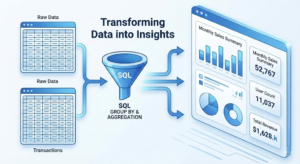
The goal is to turn data into information, and information into insight.
 GROUP BY and Aggregation Functions – The Heart of Data Analysis
GROUP BY and Aggregation Functions allow SQL users to transform raw data into meaningful summaries. While SELECT and WHERE clauses retrieve and filter data, aggregation helps answer business-level questions.

In US-based organizations, these SQL features power executive dashboards, financial reports, and operational analytics.
What Is the GROUP BY Clause?
The GROUP BY clause groups rows that share common values into summary rows.
Basic syntax:
SELECT column_name, AGG_FUNCTION(column_name)
FROM table_name
GROUP BY column_name;
SELECT department, COUNT(*) AS employee_count
FROM employees
GROUP BY department;
Example:
A US corporation counts employees per department for workforce planning.
Understanding Aggregation Functions
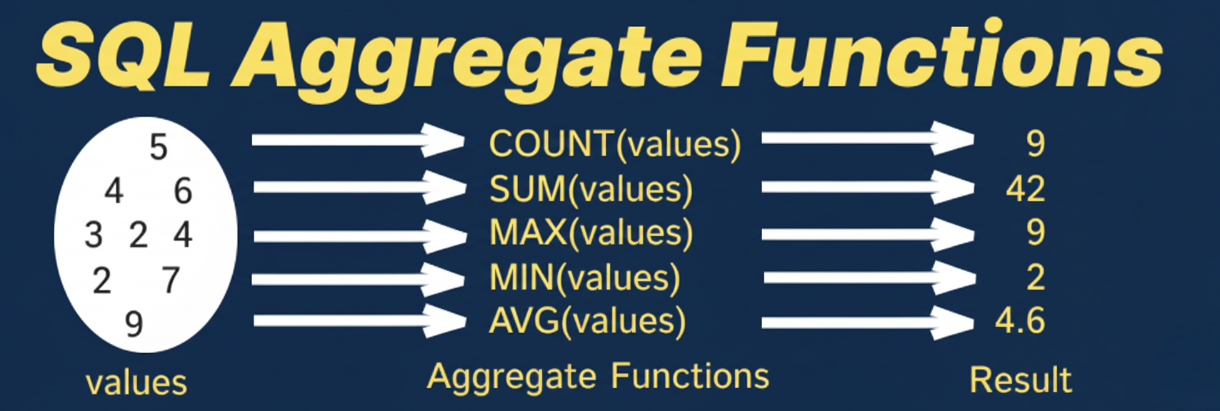
Aggregation functions perform calculations on groups of rows.
Common Aggregation Functions
| Function | Description |
|---|---|
| COUNT() | Counts rows |
| SUM() | Calculates total |
| AVG() | Calculates average |
| MIN() | Finds minimum |
| MAX() | Finds maximum |
Example:
SELECT AVG(salary)
FROM employees;
Example:
An HR team calculates average salaries for compensation analysis.
GROUP BY with Multiple Columns
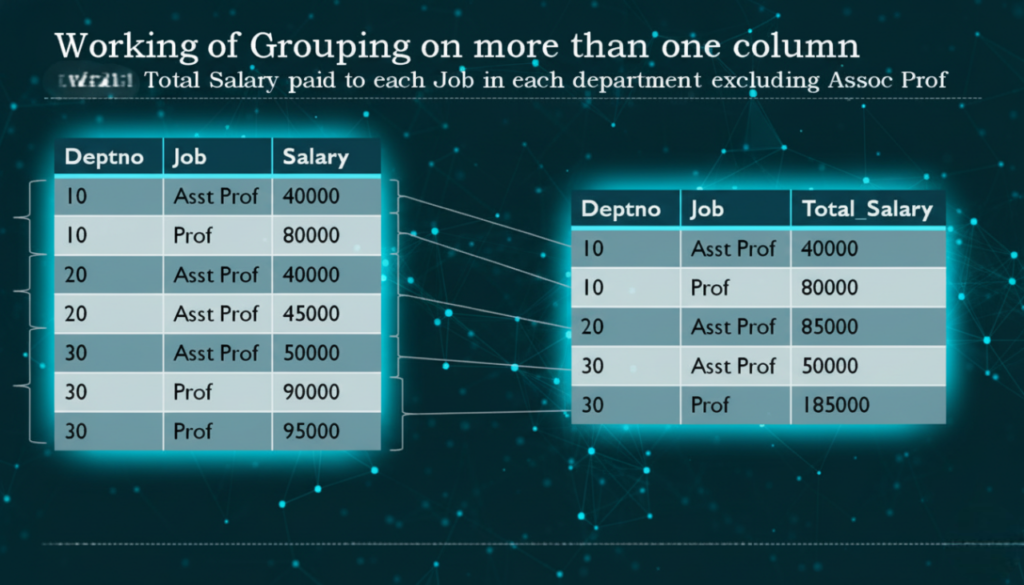
You can group data by more than one column.
Example:
SELECT state, department, COUNT(*) AS total_employees
FROM employees
GROUP BY state, department;
Example:
A nationwide US company tracks department strength across states.
Using HAVING with GROUP BY
The HAVING clause filters grouped results.
Example:
SELECT department, COUNT(*) AS employee_count
FROM employees
GROUP BY department
HAVING COUNT(*) > 50;
Example:
Management identifies departments with more than 50 employees.
Using GROUP BY with Date-Based Aggregation
In real-world reporting, businesses often need to analyze data over time. GROUP BY and Aggregation Functions work seamlessly with date fields.
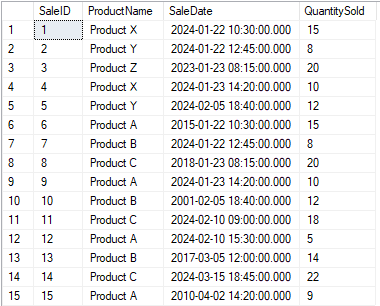
Example:
SELECT DATE(order_date) AS order_day, SUM(total_amount) AS daily_sales
FROM orders
GROUP BY DATE(order_date);
Example:
A US e-commerce company tracks daily sales trends to evaluate promotional performance.
Monthly and Yearly Aggregation
SQL allows grouping data by month or year for financial reporting.
Example:
SELECT EXTRACT(YEAR FROM order_date) AS year,
       EXTRACT(MONTH FROM order_date) AS month,
       SUM(total_amount) AS revenue
FROM orders
GROUP BY year, month;
Example:
Finance teams generate monthly revenue reports for stakeholders and compliance reviews.
GROUP BY and Aggregation Functions in Retail
Retail companies use aggregation daily.
Typical use cases:
- Total sales per store
- Monthly revenue trends
- Product-wise performance
Example:
SELECT store_id, SUM(total_amount) AS revenue
FROM sales
GROUP BY store_id;
Common Mistakes with GROUP BY
Beginners often:
- Forget to include non-aggregated columns in GROUP BY
- Confuse WHERE and HAVING
- Overuse nested aggregations
Understanding SQL execution order prevents these mistakes.
Performance Considerations
Efficient aggregation:
- Reduces data volume
- Improves dashboard performance
- Lowers query execution time
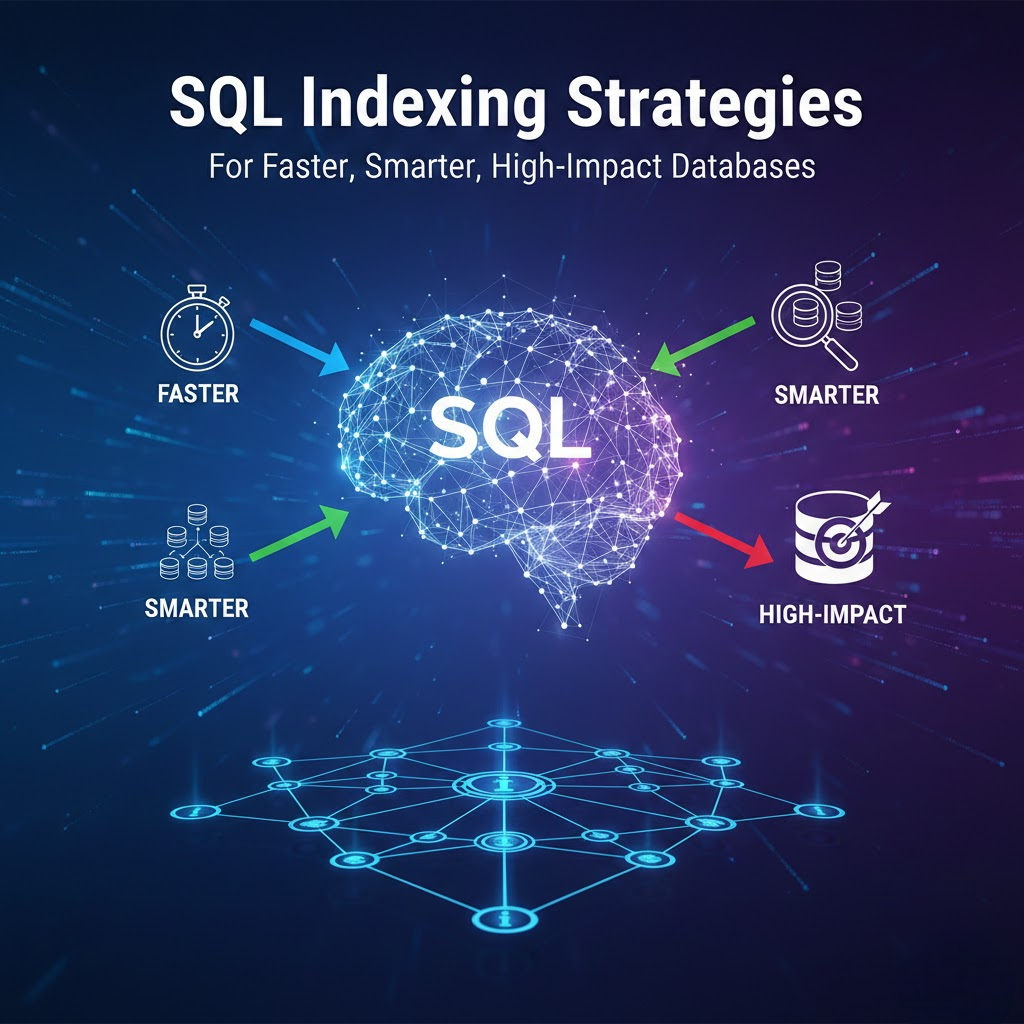
Indexing grouped columns improves results in large datasets.
GROUP BY in Healthcare Analytics (Example)
Hospitals use aggregation to:
- Count patient visits per department
- Analyze insurance claim totals
- Track monthly admission trends
Accurate grouping supports healthcare decision-making.
Best Practices for GROUP BY and Aggregation Functions
To write clean queries:
- Use meaningful aliases
- Group only required columns
- Avoid unnecessary aggregations
- Validate results with sample data
These practices are standard in professional SQL environments.
🔗 Official PostgreSQL GROUP BY documentation: (DoFollow):
https://www.postgresql.org/docs/current/queries-table-expressions.html
Frequently Asked Questions (FAQs)
1. Is GROUP BY mandatory when using aggregation functions?
SELECT is mandatory for retrieving data, while WHERE is optional but essential for filtering.
2. What is the difference between WHERE and HAVING?
WHERE filters rows before grouping; HAVING filters after grouping.
3. Can GROUP BY slow down queries?
Yes, on large datasets without proper indexing.
GROUP BY and Aggregation Functions are essential for converting raw data into actionable insights. From finance to healthcare and retail, aggregation helps organizations understand trends, measure performance, and make informed decisions.
Our DBS University provides a career focus SQL course which can help to make yourself industry ready.
Mastering these concepts is a critical step toward advanced SQL analytics.
0 Comments